


 Email:

Basic Functional Test (If Connected to a Device)If the membrane switch keypad is part of an appliance, control panel, or connected to a microcontroller/PCB:Power on the device.
Press each key firmly and check if the expected action occurs (e.g., input registers on a display, function activates).
Test for consistency: Press keys multiple times to check for intermittent response.
Look for issues like sticky keys, no response, or unintended activations (ghosting).
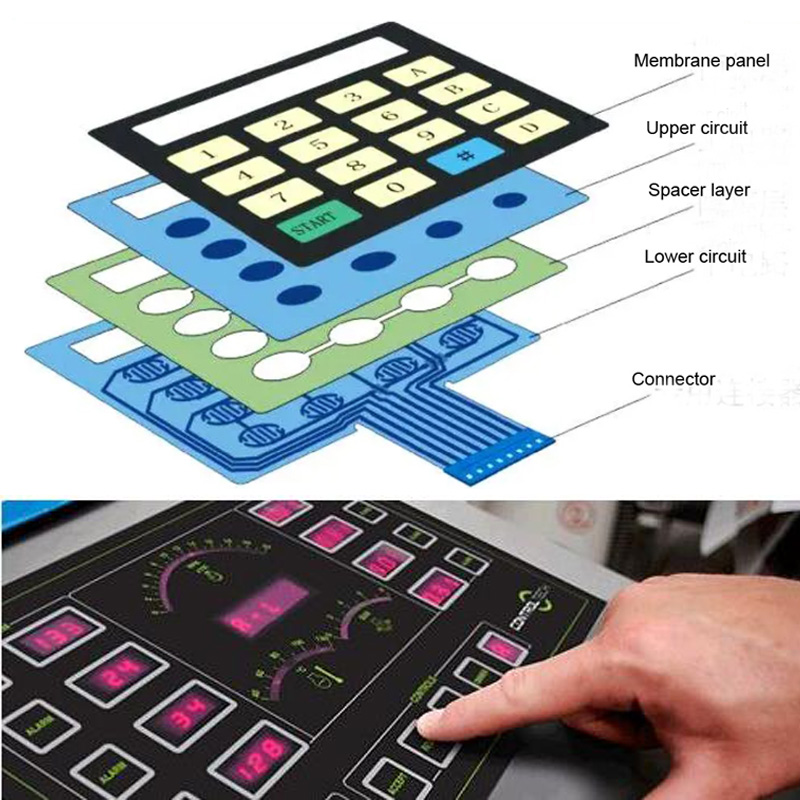
This is the simplest way to verify overall functionality without tools.Electrical Testing with a Multimeter (Recommended for Thorough Diagnosis)Membrane keypads work by completing a circuit when pressed (often matrix-scanned with rows and columns). The most reliable way to test individual switches is using a digital multimeter for continuity or low resistance.Tools Needed:Digital multimeter
Access to the keypad's connector pins or tail (flexible ribbon cable)
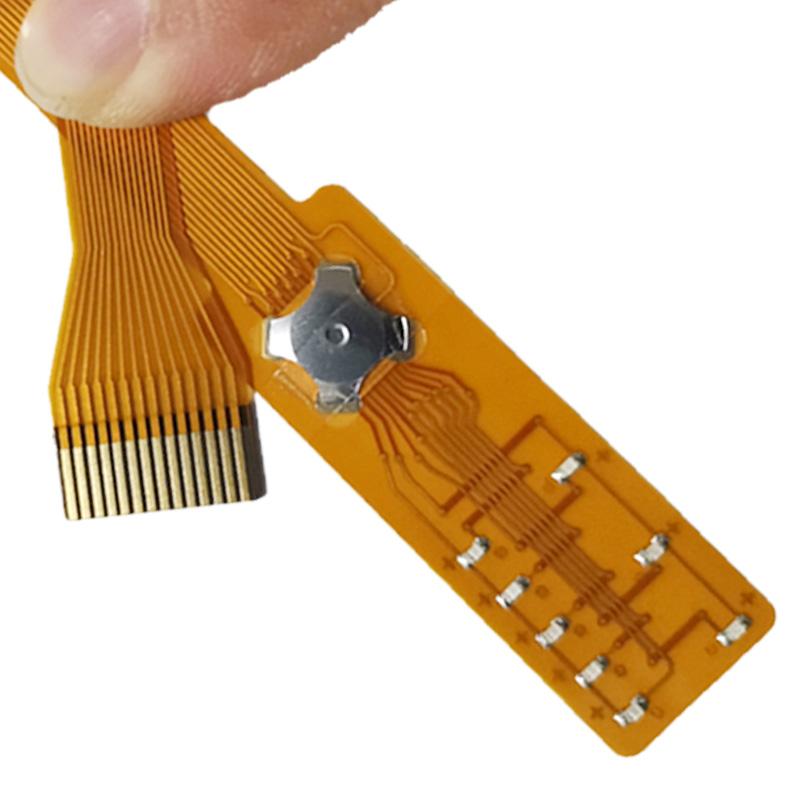
Steps:
1,Safety first: Disconnect power from the device and unplug/disassemble if needed to access the keypad.
Access the circuit:If possible, expose the tail/connector pins (common in detached keypads).
If integrated, you may need to refer to the device's schematic or pinout to identify row/column traces.
2,Set up the multimeter:Switch to continuity mode (symbol often looks like sound waves or a diode; it beeps on low resistance).
If no continuity mode, use the lowest resistance (ohms) setting (e.g., 200Ω).
3,Test each key:Identify the two pins/traces corresponding to the key (from datasheet, trial-and-error, or schematic).
Place probes on the two relevant pins.
Without pressing: Should show open circuit (no beep, "OL" or infinite resistance).
Press the key firmly: Should beep or show low resistance (near 0–10Ω, indicating continuity).
Release: Should return to open.
4,Check for faults:No continuity when pressed: Broken trace, worn conductive pad, or damaged dome.
Continuity without pressing: Short circuit (e.g., debris or damage).
High resistance when pressed: Poor contact (clean or repair needed).
Repeat for all keys. If the keypad uses a matrix, test combinations systematically.
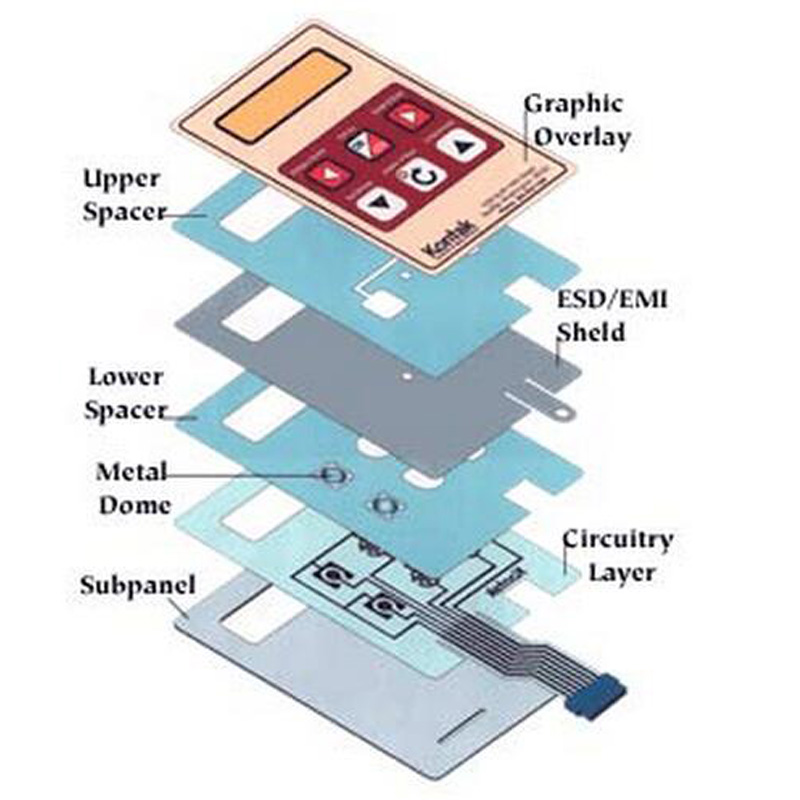
Visual Inspection (Complementary)Look for physical damage: Cracks, tears in layers, worn conductive pads (carbon pills), oxidation, or debris.
Clean gently with isopropyl alcohol (90%+) on a lint-free cloth if dirty.
Advanced or Manufacturing TestsFor professional quality checks:Insulation resistance, short/open circuit tests.
Actuation force measurement.
Specialized testers (e.g., for LEDs or full panels) exist but are not needed for basic troubleshooting.
If keys fail continuity, common fixes include cleaning, repairing traces with conductive paint/ink, or replacement. Membrane switch keypads are inexpensive, so full replacement is often easiest for severe damage.
More information visit:www.jcftechnology.com